 Cadenza
 Cadenza
You play. It names.
It writes. It teaches.
One app behind one keyboard: it names what you play while your hands are still down, engraves the take, drills you, and teaches the voicings.
Forty seconds, one take, nothing edited. Carlos Gardel’s Por una cabeza played straight in. This is one window of the lab — the Recorder — and the page you see fill up is the page it exports. Turn the sound on and you are hearing the same performance the notation was made from.
Take a look inside
Twelve windows. One keyboard.
One engine, one MIDI port, one set of hands — and every part of the work in its own window. Nothing here is a bolt-on: the naming, the score, the drills, the chart and the course all read the same playing.




Where it sits
What the cheap ones don’t do, and what the expensive ones do that this doesn’t.
The honest version, and the reason all of it is one app. The chord tools name; the notation tools engrave; nobody else does both, and nobody else does the rest at all. Where something beats us, the row says so.
| Cadenzafree core · one-time modules | Chordie$25 once | Chord Whisper$2.99, macOS | The Ultimate Piano$39 / 1 yr updates | MuseScore 4free | ScoreCloudfrom $5.99/mo | |
|---|---|---|---|---|---|---|
| Play a take → engraved notation → MusicXML | ● | — | — | — | limited | ● |
| Names chords live from a MIDI keyboard | ● | ● | ● | ● | — | — |
| Live naming in the free tier | ● | $25 | $2.99 | $39 | — | — |
| Runs on macOS and Windows | ● | ● | macOS only | browser | ● | ● |
| Runs with the network off | ● | — | ● | — | ● | — |
| The degree in the key, on every lit key | ● | — | — | — | — | — |
| Chord cards captured as you play, and played back | ● | — | — | — | — | — |
| Lead sheet: chord symbols played in above the stave | ● | — | — | — | — | — |
| Four graded drills: chords, intervals, scales, sight-reading | ● | — | — | some | — | — |
| A jazz voicing course graded from your own MIDI | ● | — | — | — | — | — |
| Re-quantise, re-split hands and respell after the take | ● | — | — | — | — | partly |
| Fingering numbers on the score | ● | — | — | — | ● | ● |
| iReal Pro import, repeats unrolled | ● | — | — | — | — | — |
| Separate native windows, each with its own name | 12 | ● | — | browser | — | — |
| One-click OBS scene over WebSocket | ● | — | — | — | — | — |
| Overlays that survive a restart | ● | — | — | — | — | — |
| Black-on-white mode for a luma key | ● | — | — | — | — | — |
| Your camera warped onto the on-screen keys | ● | — | — | — | — | — |
| Saved window layouts | ● | — | — | — | — | — |
| Included updates | all v1 | unstated | unstated | 1 year | ● | while subscribed |
| Installer signed by the vendor | macOS signed · Windows not yet | ● | ● | n/a | ● | ● |
| Cost over three years | €0 + one-time modules | $25 | $2.99 | $39+ | free | $215+ |
Compiled from each vendor’s own public pages in August 2026; prices are as they list them and will change. MuseScore is free and is the right answer for engraving a piece properly; the first row is about getting a performance into it, which is the part it is weakest at. On naming, read the columns: the tools built only for naming charge for it — Cadenza’s Basic names what you play, labels the degree on the keys and keeps the staff and the history, for nothing.
Live
It names the chord you played. Not one you didn’t.
Plug in any MIDI keyboard — the name, the staff, the lit keys and the degree, while your hands are still down.

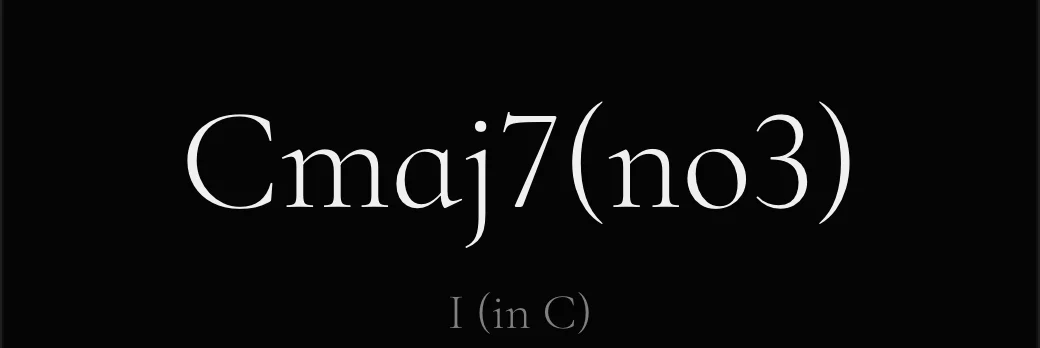



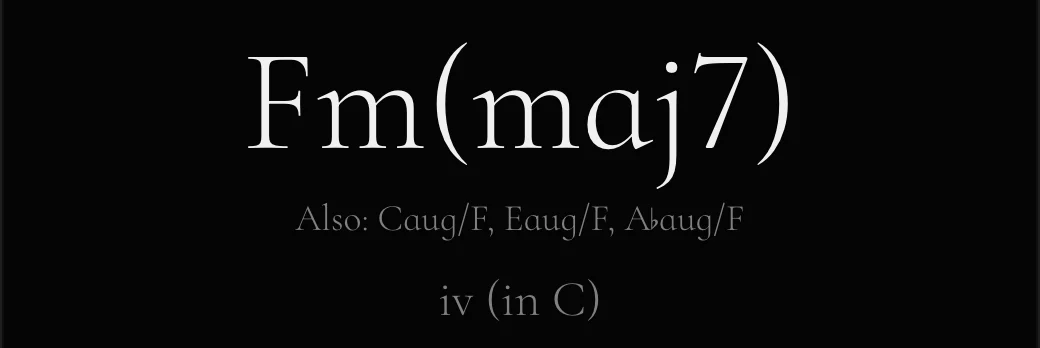
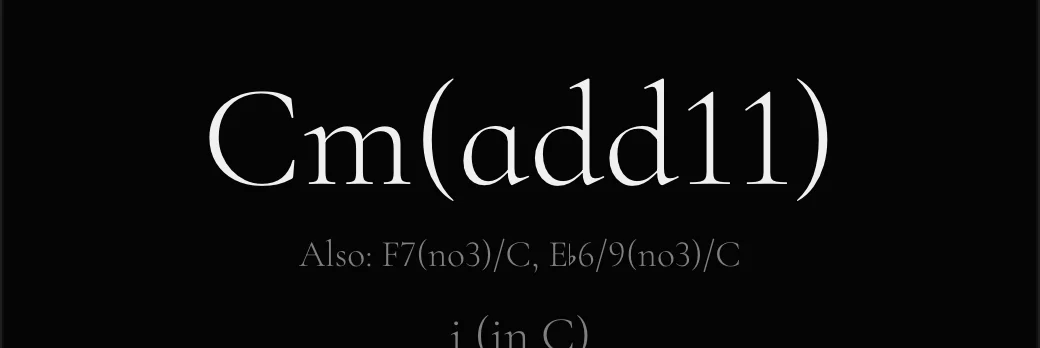
ø7, m(maj7) and 7(♭9) — spelled the way a chart spells them, never a note you didn’t play. The degree in the key sits on every lit key, the staff writes along, and the whole live core is the free tier. More about the live view →
The Recorder
Play it once. Hand them the score.
Even the biggest engraving suites make you clean up a played-in take. This one is measured — and usually needs almost none.
Watching the take become bars, values, ties, two hands and the right key — live.
For the lesson you just played · for the song you’re writing · for the solo you’d forget · for the student’s homework. More about the Recorder →
The drills
The same keyboard, asking the questions.
Chords, intervals, scales and sight-reading — graded from the MIDI you actually play, not from a multiple choice.
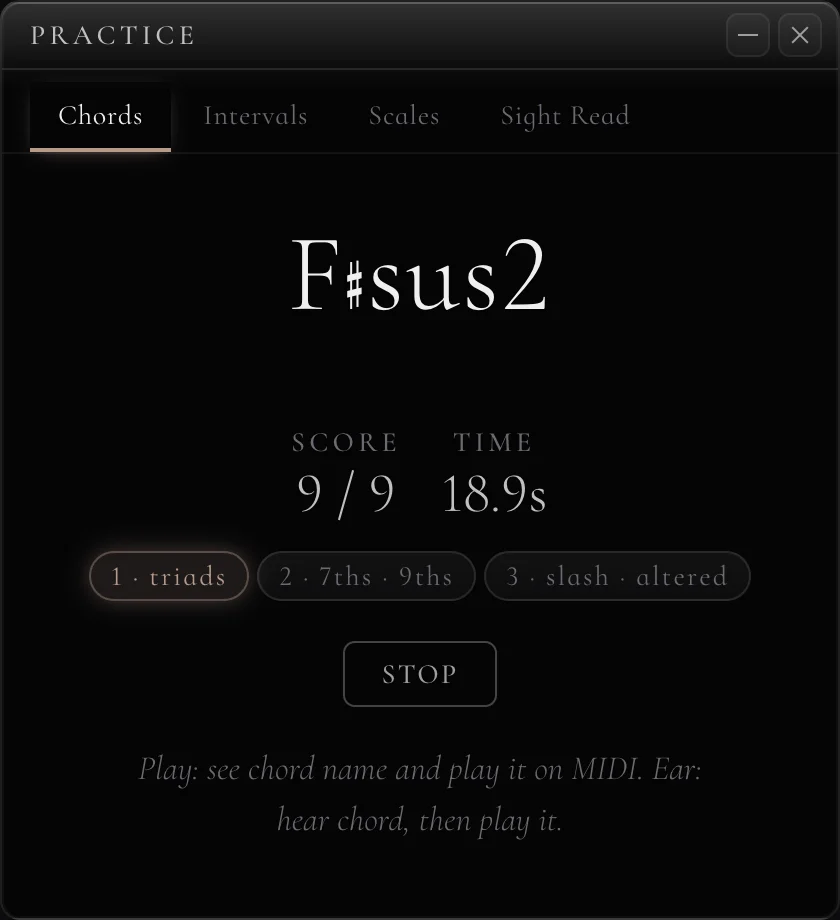
Play the answer, or name it by ear. Three levels each, from triads to slash chords and alterations; intervals to the tenth with direction; twenty-one scale types; sight-reading from G1 to A6. A wrong answer costs the question — the counter never flatters you.
The progression
What you just played, as a chart.
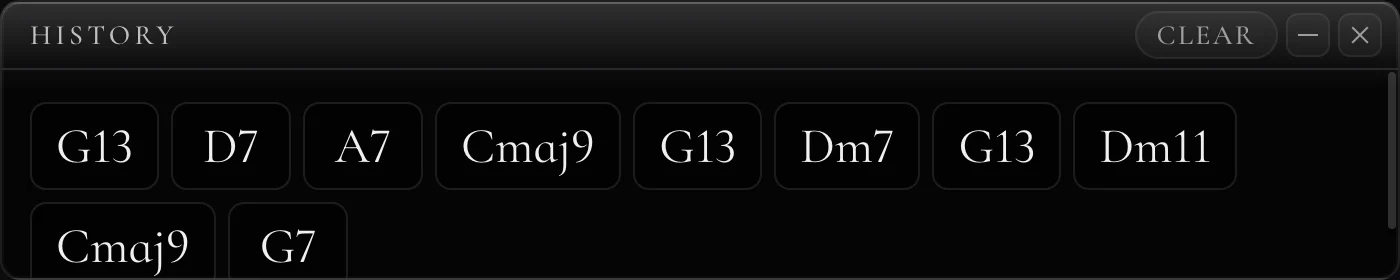
Playing drops chords into cards. Reorder them by dragging, play the chart back with a click, copy it out as text.
Or bring a chart in. Open an iReal Pro export and every tune becomes cards — repeats unrolled, beats kept. The chart plays back with the click, loops, and counts you in.
For the stream and the projector
Made to be captured.
Twelve windows with fixed names, one click builds the OBS scene — and one switch turns it all black-on-white for a luma key.
A real scene, not a mock-up. Staff, keyboard and chord readout as three OBS sources over a camera on the keys — black-on-white so a luma key drops the background.
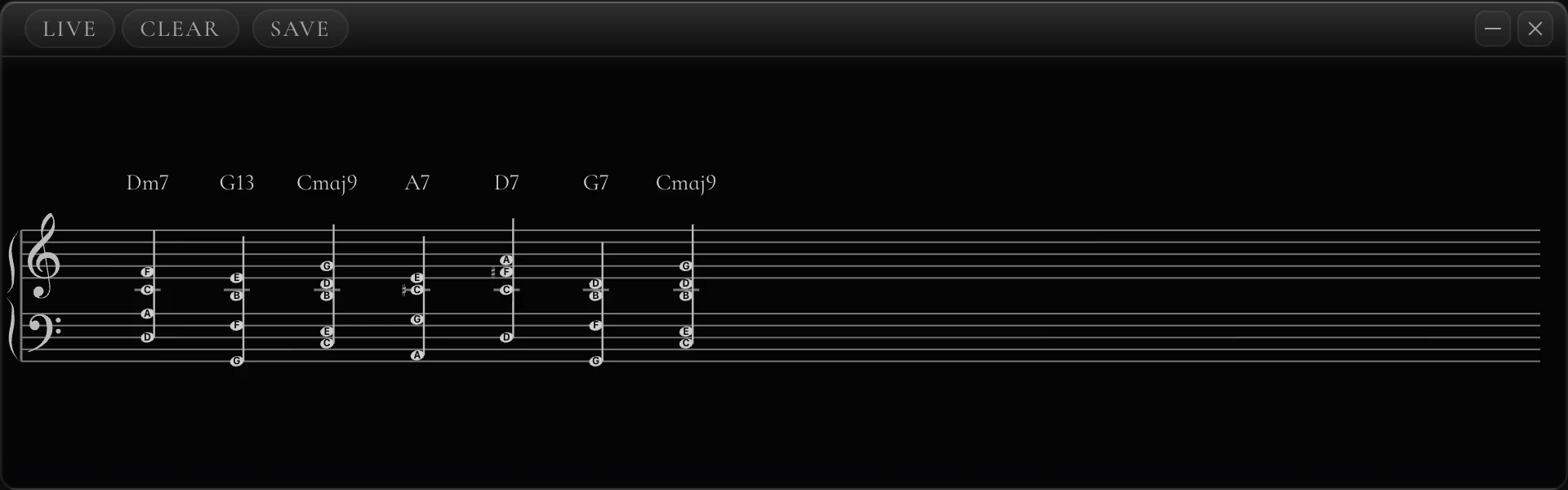
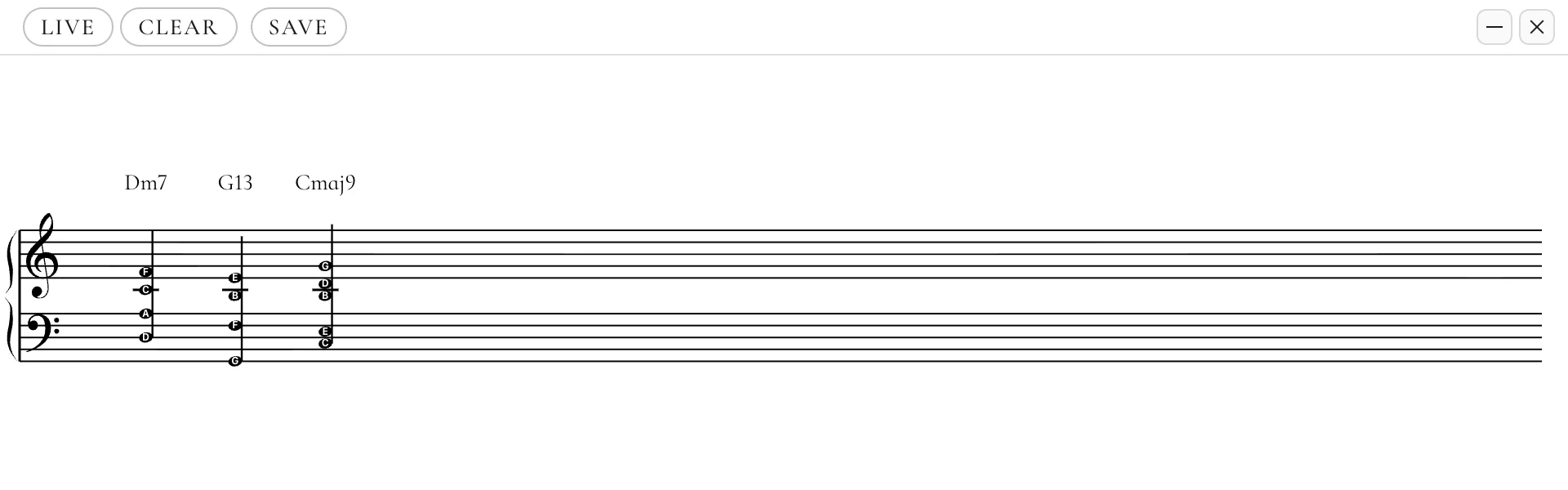
Cadenza owns the MIDI port itself, and its browser overlays survive restarts. More about streaming →
Grips — a paid module
Voicings, drilled into your hands.
A 51-rung jazz course graded from what your hands actually hold — with a progress map that never forgets.
A real drill answered on a real keyboard. The root goes to the bass player; your left hand learns one shape in two rotations, and every finger becomes a switch that changes the colour. Fifty-one rungs, more than 3,800 exercises, and a grader that reads the MIDI itself — not a multiple choice. The progress map remembers which keys you are slow in, and it never forgets one you have learned. More about Grips →
Pricing
Pay once for the parts you need.
Basic is free forever. The rest are one-time modules — and the more you combine, the less each one costs.
Any pair sits in between — every combination has its own price, and each added module costs less than the one before.
Launch prices. One-time payment, VAT handled by Lemon Squeezy, 14-day refund with no questions. Prices follow where you are; the checkout is billed in euro.
For the readers
Everything else you would have had to ask.
Straight into MuseScore
One click opens the take in MuseScore — no export dialog. Not installed? It tells you where to get it.
One-click OBS scene
Over WebSocket: keyboard, chord and staff arrive at native size, scaled to your canvas. Run it twice — nothing duplicates.
Your camera on the virtual keys
A Camera window warps a real keyboard’s picture onto the on-screen keys, so both line up in OBS. Calibrated once, by dragging four corners.
Overlays that survive restarts
A built-in Browser Source server; the overlay reconnects by itself and never goes black.
iReal Pro import
Open an iReal export and every tune becomes progression cards — repeats unrolled, beats kept.
Lead sheets too
One switch turns the take into a single treble stave — melody only — and you stamp the chord symbols above it by playing them.
Six files out
MusicXML, quantised MIDI, raw MIDI as played, PDF, PNG — and the take itself as plain JSON you can reopen and re-quantise.
Your files stay yours
Takes, layouts and licence live in your own user folder — plain JSON you can copy, back up or delete.
One licence, both OSes
macOS (Apple silicon and Intel, one signed and notarized build) and Windows, on one key. Move machines whenever.
A keyboard worth looking at
Photoreal keys with felt and depth, labels only where your fingers are — chord tone, solfège, letter and the degree — in your accent colour.
Updates that wait
New versions download quietly and wait for a click. Nothing restarts itself.
Latency is a number
Milliseconds with a Test button — not a mood called “balanced”. Two volume buses: your piano and the app’s.
Tap tempo after the take
No metronome? Tap the beat while the take plays back and the bars follow your taps.
Layers, voices, regions
Loop one bar until it lands, punch in from bar six, record one hand under the other, tag voice 2 — three voices per staff. Paint a region, stamp it into bar twelve.
An honest verdict
A take behind the click is pulled in; borderline releases earn one honest sentence. Clean playing earns silence.
Four drills
Chords, intervals, scales and sight-reading from G1 to A6 — play the answer or name it by ear; questions dealt fairly.
Scales from real playing
Detected from lines you actually play, and a chord dictionary that works both ways.
1,209 automated tests
Behind the quantiser and the naming — and a benchmark that has to stay silent across 250 clean runs.
Saveable layouts
Window layouts save and restore per scene; every window keeps its fixed OBS-friendly name.
Three sounds inside
A sampled grand, an FM Rhodes and a synth — or mute the app and play through your own VST.
Questions, answered.
macOS says the app is from an unidentified developer. Is something wrong?
It should not say that any more: Cadenza is code-signed with an Apple Developer ID and notarized. macOS checks the signature on first launch and opens it like any other app — no warning, no right-click ritual.
If you ever do see the warning, you are holding an old build from before the signing — download the current DMG from this site and it goes away. And the general rule stands: when any app asks you to bypass Gatekeeper, do it only for sources you trust.
Windows warns me about an unrecognised app. Is that normal?
Yes, and here is the honest version: the macOS build is signed and notarized by Apple; the Windows installer is not yet code-signed. Windows SmartScreen shows a blue “Windows protected your PC” panel for installers it has not seen often enough — click More info, then Run anyway.
A Windows signing certificate is on the list; until it is bought, this page is not going to pretend the warning does not exist. The file itself comes straight from this site over HTTPS, and the download link is the only place it is served from.
Will it work with my MIDI keyboard?
Any USB or Bluetooth MIDI keyboard your computer already recognises, and several controllers at once if you use more than one. Velocity is respected — soft playing sounds soft and darker — and the sustain pedal is read, which is what lets the app tell a line from a chord.
The live display and the Recorder read MIDI, not audio: they do not listen to a microphone, so an acoustic piano without a MIDI output is outside what they can do. An audio file is a different job — Transcribe reads an mp3 or wav you already have and writes out its chord chart.
Do I need an internet connection?
Only to activate the licence the first time. After that Cadenza runs fully offline — no telemetry, no analytics, no account, nothing to phone home to. Chord and scale definitions live inside the app, not on a server.
The licence re-checks itself quietly about once a month, so a month offline at a time is fine. Updates behave the same way: they download in the background and install only when you click — never mid-lesson, never mid-stream.
Which systems are supported?
macOS 12 or later, on Apple silicon and Intel, and Windows 10 and 11 (64-bit). The macOS build is the one developed against daily; the Windows build is the same code and the same licence.
Is it for beginners or for professionals?
Both, from different directions. A beginner gets plain chord names, labelled keys and four structured drills. A teacher gets four synchronised views to demonstrate with and a way to hand the demonstration over as a file. A jazz player gets ø7, m(maj7) and 7(♭9) spelled the way a chart spells them, rootless voicings named as rootless voicings, and a window layout that survives being streamed.
Is this MIDI-to-sheet-music software? Will it transcribe what I play?
Yes, from MIDI. Play a take to the click and Cadenza transcribes it into real sheet music — bars, note values, dotted notes, ties, rests, triplets, two hands split across the grand staff, the key signature it deduces from the notes, accidentals only where they are needed, pedal marks, dynamics and fingering. It exports as MusicXML for MuseScore, Sibelius or Dorico, as MIDI, and as PDF or PNG for printing.
Two honest limits: the Recorder reads MIDI, not audio — there is no microphone transcription, and an audio file goes to Transcribe instead, which writes chords rather than every note — and the tempo is taken at the start of the take, so a heavily rubato performance is followed by a rubato slider rather than tracked bar by bar.
The long version, including why a plain MIDI import produces unreadable notation, is in MIDI to sheet music.
How is it different from MuseScore, ScoreCloud or a chord-detection app?
A notation editor like MuseScore is where you type music; Cadenza is where you play it and get a file out. A cheap chord-detection app names a chord and stops there — no staff, no export, no windows a stream can capture. Cadenza is the one that does live chord recognition and hands you an engraved, exportable score, offline, for a single payment.
There is a row-by-row table on the comparison page, including the rows where something else wins.
What happens when the trial ends?
The app drops to the free Basic — Keys, Staff and Chord keep working forever, so an OBS scene built on them never goes dark. And your files stay yours: every take you kept is a file on your disk and every export stays readable in the program that opened it. Nothing gets locked in a format only Cadenza can read.
One keyboard. The whole lab behind it.
macOS 12 or later · Windows 10 and 11 · one email, no account, no card
Cadenza is made by one person, in Lithuania. It exists because every chord tool I tried would sooner or later name a chord I had not played — a root that was not there, an extension it invented to make the arithmetic work. That is the one thing this app refuses to do, and everything else on this page was built around that refusal.
There is no account, no telemetry and no server. Once you have downloaded it, I have no idea what you play. Support email goes to the person who wrote the code. If it does not do what this page says it does, write and I will refund you.
— Vytautas